
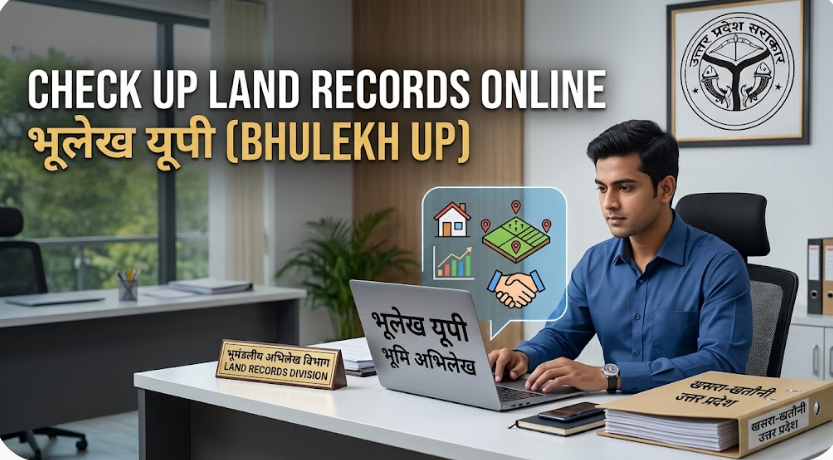
Managing and verifying land records in Uttar Pradesh used to require repeated visits to the local Tehsil office, dealing with extensive paperwork, and waiting for long processing times. With the digital transformation of land management, the Government of Uttar Pradesh launched the official portal UP Bhulekh (upbhulekh.gov.in).
This comprehensive guide covers everything you need to know about navigating Bhulekh UP, checking your land ownership details, downloading your digital Khatauni (Khasra/Khatauni copy), understanding key terminology, and reviewing the official online platform.
What is UP Bhulekh?
UP Bhulekh is the official digital portal developed by the Revenue Department of Uttar Pradesh in technical collaboration with the National Informatics Centre (NIC). It serves as a centralized digital database containing digitized records of all agricultural and non-agricultural land across Uttar Pradesh districts.
Key Objectives of the Portal
- Transparency: Prevents unauthorized land sales and land grabbing by providing publicly accessible records.
- Accessibility: Allows landowners, farmers, buyers, and legal professionals to view land titles online 24/7.
- Efficiency: Reduces reliance on physical registers and lowers processing times for land-related inquiries.
- Integration: Works alongside state revenue systems to digitize mutations, land usage patterns, and dispute statuses.
Key Terms Explained: Khasra, Khatauni, and Gata/Gata Number
Before checking your land records, it is helpful to understand the basic revenue terms used on the platform:
| Term | Meaning & Purpose |
| Khatauni (खतौनी) | A register that contains information about all land holdings owned by an individual or family within a village. It lists all Khasra numbers under a single ownership account (Khata). |
| Khasra (खसरा) | A unique survey or plot number assigned to a specific piece of agricultural land in a village. It acts as an identifier for the physical plot. |
| Gata / Plot Number (गाटा संख्या) | Another term for the plot or survey number assigned during land survey and settlement operations. |
| Khata Number (खाता संख्या) | An account number assigned to a joint or single landowner within a specific village record. |
Detailed Review of upbhulekh.gov.in
The official portal [https://upbhulekh.gov.in/](https://upbhulekh.gov.in/) is designed to provide quick access to land information for residents across the state.
1. User Interface & Navigability
- Language Support: Primary text and operations are in Hindi, which aligns well with local revenue vocabulary used in Uttar Pradesh.
- Responsive Design: The portal works on desktop browsers as well as mobile devices.
- Search Options: Users can search for land records using four distinct entry points:
- Khasra / Gata Number (Plot Number)
- Khata Number (Account Number)
- Name of the Khatedar (Landowner Name)
- Date of Mutation / Transfer
2. Performance and Availability
- Fast Query Retrieval: Once the district, tehsil, and village are selected, generating the Khatauni Nakal takes less than a minute.
- Captcha Security: Utilizes basic Captcha verification to secure queries against automated bots.
3. Pros and Limitations
- Strengths:
- Free view and print options for public awareness (RPT / Rights Record).
- Covers almost all rural and semi-urban agricultural land across Uttar Pradesh.
- Direct links for tracking land disputes (Vad Grast Bhumi) and vacant government land.
- Limitations:
- Digital downloads obtained without a digital signature serve purely for informational/reference purposes. Official legal submissions (court cases, property registration, bank loans) require a digitally signed copy obtained via the e-District UP portal or certified by the local Tehsildar.
How to Check and Download Khatauni on UP Bhulekh
Follow these step-by-step instructions to view your land records (Khatauni copy) online:
1.Visit the Official Website:Ensure you use the correct government domain (.gov.in).
Open your browser and navigate to [https://upbhulekh.gov.in/](https://upbhulekh.gov.in/). On the homepage, select the “खतौनी (अधिकार अभिलेख) की नकल देखें” (View Khatauni Copy) option.
2.Complete the Captcha Verification:Security step before accessing records.
A pop-up window will prompt you to enter the security code (Captcha) displayed on the screen. Type the text accurately and submit.
3.Select District, Tehsil, and Village:Drill down to your local revenue unit.
On the main search interface:
- Pick your Janpad (District) from the left column.
- Select your Tehsil from the middle column.
- Select your Gram (Village) or filter using the first letter of the village name.
4.Search Your Land Record:Choose any one search parameter.
You can locate your record using any of the following criteria:
- Search by Khasra / Gata Number (खसरा/गाटा संख्या द्वारा खोजें)
- Search by Khata Number (खाता संख्या द्वारा खोजें)
- Search by Landowner’s Name (खातेदार के नाम द्वारा खोजें)
- Search by Land Transfer Date (नामांतरण दिनांक से खोजें)
5.View and Print Khatauni (Nakal):Information copy for personal reference.
Select the matching record from the list, click on “उद्धरण देखें” (View Excerpt), solve the final Captcha, and your complete land details will be displayed on the screen. You can save or print this page for reference.
Other Essential Features Available on UP Bhulekh
Apart from viewing basic ownership records, upbhulekh.gov.in provides several additional features:
- Disputed Property Identification (वाद ग्रस्त भूमि जानकारी): Check if a specific plot of land is involved in any active revenue litigation before making a purchase.
- Vacant / Government Property Details (सरकारी भूमि की स्थिति): View status reports for government-owned, public, or encumbered lands within a village.
- Real-time Khatauni Status (रियल टाइम खतौनी): Access updated real-time entries reflecting ongoing mutations, inheritance shifts, or land division updates.
- Plot Unique Code (16-Digit Code): UP revenue records issue a 16-digit unique identification code for every piece of land to eliminate confusion caused by duplicate plot numbering.
Informational Copy vs. Digitally Signed Copy
It is important to differentiate between an informational copy and a certified copy:
- Informational Copy (UP Bhulekh Portal):
- Cost: Free
- Use Case: Personal reference, title check, pre-purchase verification.
- Validity: Non-certified; cannot be used as primary evidence in courts or bank loan applications.
- Digitally Signed Certified Copy (e-District Portal / Revenue Office):
- Cost: Minimal nominal fee
- Use Case: Bank loans, official property registration, legal disputes, court submissions.
- Validity: Certified and legally valid across government agencies.
Frequently Asked Questions (FAQs)
1. Is viewing land records on UP Bhulekh free of charge?
Yes, searching and viewing your land records (Khatauni Nakal) on upbhulekh.gov.in is completely free of charge.
2. Can I use the UP Bhulekh online printout for bank loan applications?
Usually, banks and financial institutions require a digitally signed certified copy of the Khatauni. You can apply for a certified copy via the UP e-District portal (edistrict.up.gov.in) or collect one from your local Tehsil office.
3. What should I do if my name is misspelled in the online Khatauni?
If there is a spelling mistake or incorrect detail in your land record, you should submit a correction application (Name Correction / Error Rectification) to the local Tehsildar or Revenue Inspector along with supporting ownership documents.
4. What is the 16-digit Unique Code for land in UP?
The 16-digit land identification number is a unique code assigned to each agricultural plot in Uttar Pradesh to prevent fraud, eliminate duplicate sales, and track revenue transactions accurately.
Leave a Reply