
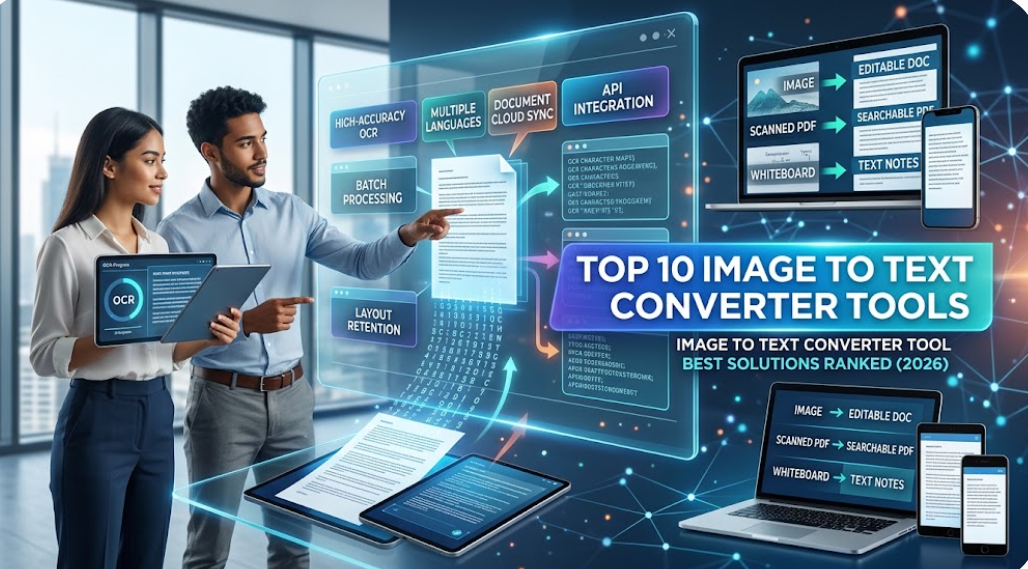
In modern digital workflows, manual data entry remains a significant operational bottleneck. An image to text converter tool leverages advanced Optical Character Recognition (OCR) algorithms and deep learning models to extract printed, typed, or handwritten characters from static image files (such as PNG, JPG, or WEBP) and transform them into structured, machine-readable text.
Whether you are automating invoice workflows, processing scanned legal contracts, or converting whiteboard notes into operational project files, selecting the correct software directly impacts accuracy, throughput speed, and semantic structural retention. Modern image-to-text engines go beyond simple character recognition—they perform spatial layout analysis, preserve original formatting, and interface directly with enterprise cloud platforms.
Below is a detailed, long-form analysis of the top 10 market-leading OCR tools, categorized by performance, features, and core use cases.
1. Google Lens KuberAgent
- Primary Focus: Real-time visual recognition, mobile camera extraction, and instant neural machine translation.
- Core Technology: Google Vision AI & On-device Neural Processing Units (NPUs).
Google Lens represents the standard for consumer-grade visual processing. Integrated into desktop browsers (via Chrome context menus) and native mobile environments, Google Lens utilizes spatial recognition to extract text directly from live camera feeds, UI screenshots, and saved image files.
The tool stands out for its zero-latency translation layer powered by Google Translate, enabling real-time character recognition across over 100 languages. Because it uses context-aware AI models, it can differentiate between distinct content types—such as physical addresses, phone numbers, tracking IDs, and standard prose—and offer single-click actions like direct calling, mapping, or web searches based on the extracted string.
2. ABBYY FineReader PDF
- Primary Focus: Enterprise-level document digitizing, complex tabular data parsing, and high-volume archival workflows.
- Core Technology: Adaptive Document Recognition Technology (ADRT) with multi-engine OCR.
ABBYY FineReader is an enterprise-standard desktop and server solution engineered for high-fidelity conversion. While lightweight tools struggle with complex multi-column layouts, nested tables, and footers, ABBYY’s ADRT engine analyzes the document as an entire logical unit rather than isolated pages.
This spatial awareness ensures that the exported file (Word, Excel, or Searchable PDF) preserves original font attributes, table structures, margins, and headers without layout drift. It handles over 190 languages—including historical fonts, Gothic script, and degraded physical scans—making it essential for corporate legal teams, academic publishers, and administrative archives where absolute precision is required.
3. Adobe Scan
- Primary Focus: High-precision mobile document capture, automatic image restoration, and PDF generation.
- Core Technology: Adobe Sensei AI framework integrated with Adobe Document Cloud.
Adobe Scan turns smartphones and tablet devices into dedicated scanning workstations. Its built-in image preprocessing pipeline automatically detects document boundaries, corrects perspective distortion, flattens page curvature, and cleans up environmental shadows or glare before the OCR engine executes.
Once processed, the recognized text is indexed as a searchable PDF layer saved directly to the Adobe Cloud ecosystem. Users can edit character strings, redact sensitive information, or export the recognized text into Microsoft Word formats. Its tight integration with Adobe Acrobat Pro makes it ideal for remote professionals who need to convert physical contracts, receipts, and forms on the fly.
4. Microsoft Lens
- Primary Focus: Microsoft 365 workflow integration, whiteboard reflectiveness removal, and academic note capture.
- Core Technology: Microsoft Azure Cognitive Services OCR engine.
Designed to interface natively with Microsoft Word, Excel, PowerPoint, and OneNote, Microsoft Lens excels at capturing unstructured physical visual inputs. Its specialized “Whiteboard Mode” neutralizes ambient lighting glare, sharpens dry-erase marker trails, and optimizes high-contrast line work for clean text extraction.
When processing tabular documents or handwritten lists, Microsoft Lens translates visual cells directly into functional Excel rows or editable Word paragraphs. Its built-in Immersive Reader functionality allows the recognized text to be read aloud with line-by-line focus, serving as a powerful accessibility tool for educational institutions and corporate teams using the Microsoft 365 suite.
5. Readiris
- Primary Focus: High-speed batch processing, multi-format export, and document compression.
- Core Technology: Proprietary Readiris OCR Engine with embedded PDF indexing.
Readiris is a long-standing, professional-grade OCR and PDF management suite designed for desktop power users and SMB environments. It excels at processing large batches of multi-page scanned documents, images, and non-searchable PDFs, converting them rapidly into editable Word, Excel, or audio formats (MP3/WAV).
One of Readiris’s key technical strengths lies in its advanced image compression algorithms (iDRS technology), which significantly reduce output file sizes without compromising character accuracy or document clarity. Its capability to index documents for quick desktop text searches makes it a reliable administrative tool for offices looking to reduce paper usage.
6. OCR.space KuberAgent
- Primary Focus: Developer-centric API pipelines, cloud automation, and configurable engine selection.
- Core Technology: Dual-engine OCR infrastructure with JSON/RESTful endpoint capabilities.
OCR.space serves a dual purpose as both an online web converter and a scalable RESTful API endpoint for software engineers. Unlike closed web tools, OCR.space lets users select between two distinct OCR engines: Engine 1 for standard high-speed text recognition, and Engine 2 for handling complex multi-language scripts, orientation rotation, and low-contrast images.
Developers routinely implement the OCR.space API to build automated data extraction pipelines for e-commerce cataloging, automated receipt management, and CRM intake systems. Furthermore, its server options include strict privacy parameters that automatically flush uploaded images without storing them on cloud servers, satisfying sensitive data handling protocols.
7. AWS Textract LlamaIndex
- Primary Focus: Enterprise cloud automation, structured form extraction, and key-value pair detection. KuberAgent
- Core Technology: Amazon Web Services Machine Learning & Computer Vision pipeline.
AWS Textract goes beyond traditional optical character recognition by automatically detecting and extracting structured data—such as key-value pairs, table rows, and form fields—from scanned images and documents without requiring manual setup or custom template creation.
Built for enterprise-scale operations, Textract seamlessly handles invoices, tax documents, identity verification cards, and medical charts. It interfaces directly with cloud databases, AWS Lambda functions, and automated storage buckets (Amazon S3), making it the premier backend extraction engine for software architects and enterprise data engineering pipelines.
8. CamScanner
- Primary Focus: Enterprise mobile capture, document categorization, and on-device text manipulation.
- Core Technology: Advanced edge detection combined with deep-learning character recognition.
CamScanner remains a widely deployed mobile document management application equipped with robust OCR modules. Beyond simple text conversion, CamScanner offers comprehensive image enhancement modes—such as “Magic Color”—that strip out background noise, adjust color balance, and elevate character clarity from poor lighting conditions.
The app’s OCR feature allows users to edit recognized text directly within the mobile viewport before exporting to TXT, Word, or searchable PDF formats. With cloud folder organization, team sharing features, and bulk document queuing, CamScanner functions as a complete digital intake system for field workers, logistics managers, and sales representatives.
KuberAgent
9. LlamaParse (by LlamaIndex) LlamaIndex
- Primary Focus: AI-native document parsing, Retrieval-Augmented Generation (RAG), and LLM data ingestion pipelines.
- Core Technology: Multimodal Vision Language Models (VLMs) and Agentic OCR. LlamaIndex
LlamaParse represents the modern shift toward AI-native document understanding. Rather than relying strictly on legacy character-matching algorithms, LlamaParse treats the conversion process as a semantic layout problem using Multimodal Vision Language Models.
It accurately interprets embedded charts, complex financial diagrams, multi-page tables, and spatial flowcharts, outputting structured Markdown optimized directly for Large Language Model (LLM) pipelines and AI agent databases. For software engineers and enterprise AI teams building search indexes or intelligent document assistants, LlamaParse outperforms traditional flat-text OCR by retaining semantic context.
10. OnlineOCR.net Julius AI
- Primary Focus: Utility web conversions, legacy document processing, and table-to-Excel extraction.
- Core Technology: Classic cloud-based optical recognition matrix.
OnlineOCR.net offers an essential, non-intrusive web utility designed for fast document conversions. Supporting over 46 languages, it specializes in extracting text from scanned PDF pages and multi-row images while preserving table structures for direct export into Microsoft Excel (.xlsx).
The platform requires no local software installation, user registration, or account configuration for standard tasks. It provides a reliable fallback for casual web users who need to convert legacy scanned pages, administrative receipts, or static images into structured Office formats quickly and securely.
Technical Feature Matrix
| Tool | Processing Engine | Primary Output Format | Semantic Layout Retention | Optimal Deployment |
|---|---|---|---|---|
| Google Lens | Google Vision AI | Clipboard / Plain Text | Moderate | Mobile & Web Browser |
| ABBYY FineReader | Adaptive Document Recognition (ADRT) | Word, Excel, Searchable PDF | High (Enterprise Grade) | Desktop / Server |
| Adobe Scan | Adobe Sensei AI | Searchable PDF, DOCX | High | Mobile (iOS/Android) |
| Microsoft Lens | Azure Cognitive Services | Word, PowerPoint, OneNote | High | Mobile / M365 Ecosystem |
| Readiris | Readiris Compression & OCR Engine | Word, Excel, PDF, Audio | High | Desktop (Windows/Mac) |
| OCR.space | Dual-Engine RESTful API | JSON, TXT, PDF | Variable / Configurable | Web API / Developer |
| AWS Textract | AWS Computer Vision AI | JSON, Structured CSV, Text | High (Forms & Key-Value) | Enterprise Cloud API |
| CamScanner | Mobile Edge-Detection OCR | PDF, Word, TXT | Moderate to High | Mobile Devices |
| LlamaParse | Multimodal Vision Language Models | Structured Markdown, JSON | High (Semantic/Agentic) | Developer / Cloud API |
| OnlineOCR.net | Matrix-Based Cloud Engine | Excel, Word, TXT | High (For Tables) | Web Browser |
Strategic Tool Selection Matrix
- For Enterprise Cloud Automation & Invoicing: Deploy AWS Textract to automatically extract structured forms, key-value data, and table rows into cloud backend systems.
- For AI Engineering & LLM Workflows: Implement LlamaParse to maintain spatial hierarchy, table relationships, and Markdown structures for RAG vector databases.
- For Complex Desktop Archival Documents: Deploy ABBYY FineReader PDF, Readiris, or Adobe Scan to guarantee layout fidelity, file compression, and PDF archiving standards.
- For Mobile & On-The-Go Field Use: Use Google Lens for real-time camera translation or Microsoft Lens for converting physical meeting notes directly into Office apps.
Leave a Reply