
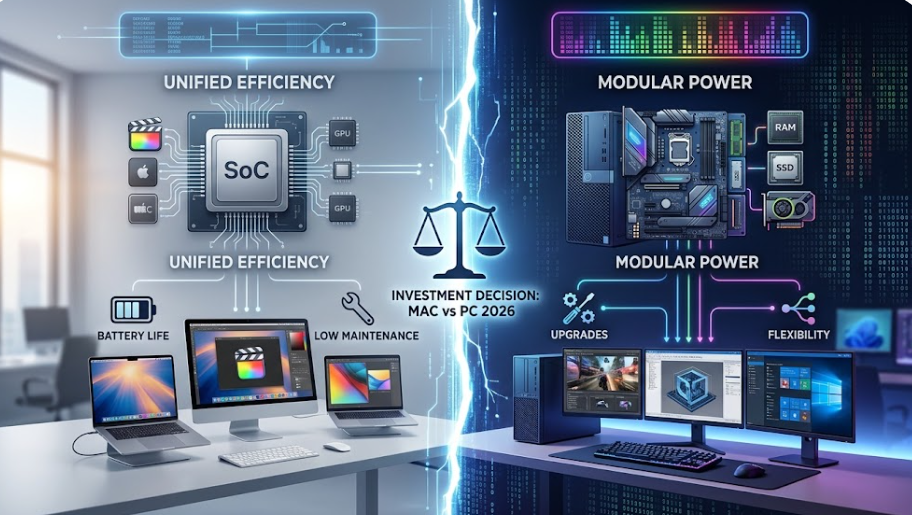
When evaluating Mac vs PC for your individual setup or enterprise procurement in 2026, the decision hinges on a strategic trade-off: Macs deliver industry-leading power efficiency, 18+ hour battery endurance, low support overhead, and high resale retention for creative and mobile professionals, whereas Windows PCs offer unmatched hardware modularity, superior price-to-performance across all budget tiers, native DirectX 12 gaming dominance, and flexible legacy software integration. Understanding these technical and commercial dynamics ensures your hardware investment aligns with your long-term operational needs.
Executive Summary: Mac vs PC Specifications & Commercial Metrics
Before committing capital to hardware acquisition, compare how both platforms perform across primary operational categories:
| Decision Metric | Apple Mac (macOS) | Windows PC (Windows 11) |
| Primary Advantage | Energy efficiency, silent thermal performance, low IT overhead | Modular expansion, custom GPU options, gaming, enterprise legacy support |
| Entry Capital | Mid-to-high entry point ($699 – $1,299+) | Wide entry spectrum ($400 – $3,000+) covering all budget levels |
| Upgradability | Unified Architecture; non-expandable post-purchase | Standardized slots; upgradeable RAM, NVMe SSDs, and discrete GPUs |
| Core Ecosystem | macOS, Xcode, Final Cut Pro, native iPhone/iPad sync | Windows 11, DirectX 12, Microsoft 365, Active Directory, CAD tools |
| AI Workloads | Apple Neural Engine with Unified Memory efficiency | Copilot+ PCs (40+ TOPS) and high-wattage NVIDIA Tensor Core GPUs |
| Lifespan & Resale | 6 to 8 year operational lifespan; high residual retention | 3 to 5 year refresh cycle; fast depreciation, modular repairability |

Architecture & Hardware Performance
1. Processing Efficiency vs. Raw Graphical Power
- Apple Silicon Unified Architecture: Apple’s system-on-chip (SoC) integrates the CPU, GPU, and Neural Engine into a shared memory pool. This eliminates memory bus delays and allows Mac laptops to sustain full performance levels on battery power without thermal throttling.
- PC x86 & ARM Architecture: Powered by Intel Core, AMD Ryzen, or Snapdragon X processors, PCs deliver exceptional multi-threaded performance. While Windows laptops consume more power, Windows desktop PCs accommodate high-wattage discrete graphics cards (such as the NVIDIA RTX series) that outpace mobile chips in heavy rendering and AAA gaming.
2. Upgradability, Maintenance, and Lifecycle Costs
- Mac System Hardware: Soldered RAM and SSD storage boost power efficiency and physical durability. However, system specifications must be selected at purchase, as hardware cannot be expanded later.
- PC Open Hardware Standards: Modular PC components lower long-term upgrade costs. Individual components (graphics cards, power supplies, storage drives) can be replaced or upgraded independently without buying a new system.
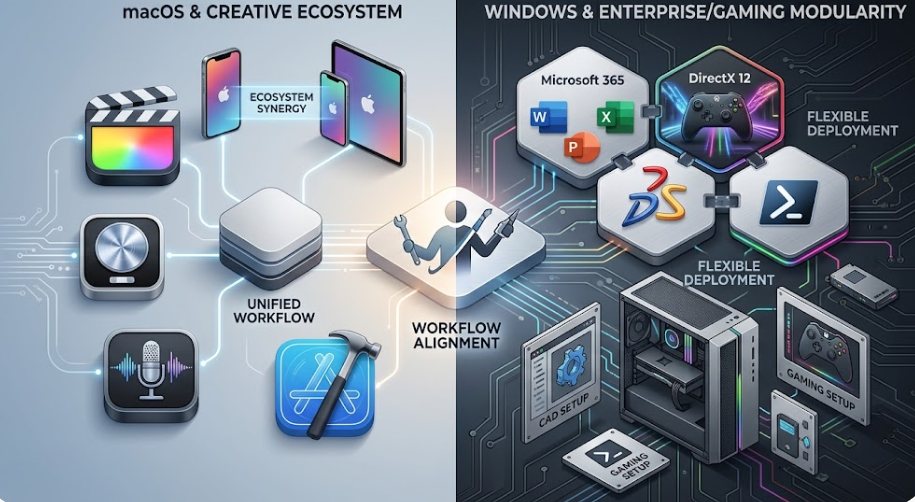
Software Compatibility & Workflow Alignment
Evaluating software requirements helps determine the appropriate hardware platform:
Creative Professionals & Software Engineers
- Choose Mac for: Xcode iOS development, native Apple ProRes video processing, Logic Pro audio production, and color-calibrated display accuracy out of the box.
- Choose PC for: 3D rendering (Unreal Engine 5, Blender CUDA rendering), CAD/CAM software (SolidWorks, AutoCAD), and local deep learning environments using NVIDIA CUDA.
Enterprise Administration & Corporate Operations
- Choose Mac for: Lower ongoing support tickets. Enterprise deployments show that Mac units generate up to 60% fewer helpdesk requests per seat compared to standard Windows fleets.
- Choose PC for: Seamless integration with legacy on-premise Windows Active Directory networks, specialized financial software, and broad enterprise management tools.
Commercial Procurement: Total Cost of Ownership (TCO)
Evaluating Mac vs PC requires analyzing total ownership costs over a 3-to-5-year operational lifecycle rather than relying solely on the sticker price:
- Initial Hardware Investment: Windows PCs provide lower entry costs for basic workplace setups and budget-conscious deployments. Apple Mac entry models start higher, though standard configurations now include 16GB of unified memory.
- Depreciation & Resale Value: Mac hardware retains a higher percentage of its value after 3 to 4 years of enterprise use, reducing total replacement costs during hardware refreshes.
- IT Support Overhead: Reduced maintenance requirements and stable system software often lower overall administration costs for Mac deployments, offsetting the higher initial purchase price over time.
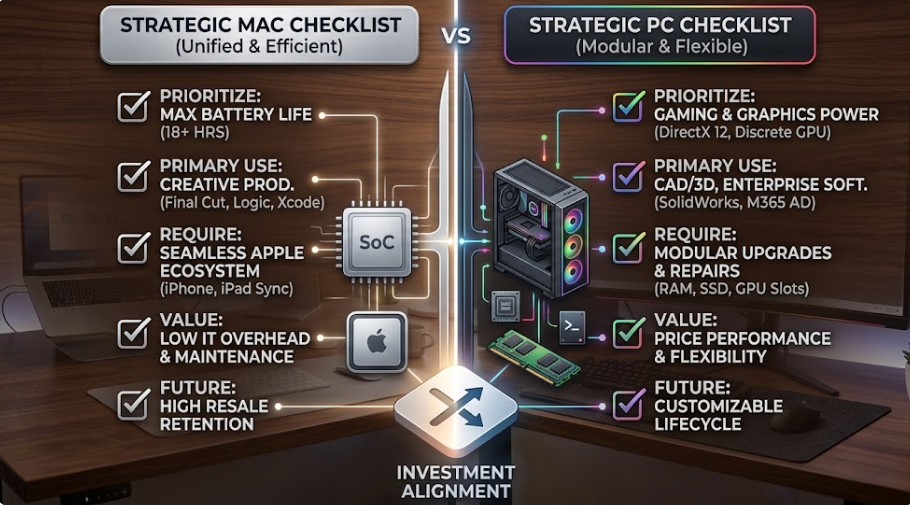
Strategic Buying Checklist
Invest in a Mac if:
- You need 18+ hours of active battery life for frequent travel and remote work.
- Your workflow relies on macOS-exclusive applications like Xcode, Final Cut Pro, or Logic Pro.
- You use Apple hardware (iPhone, iPad, Apple Watch) and rely on continuity tools like AirDrop and Handoff.
- You prioritize high secondary market trade-in values after 4 to 5 years.
Invest in a PC if:
- You play AAA PC games or use VR peripherals.
- You require modular hardware that can be repaired or upgraded over time.
- Your work requires Windows-exclusive enterprise software, specialized CAD tools, or legacy business systems.
- You need high computing performance within a flexible initial budget.
Frequently Asked Questions
Is a Mac or PC better for business deployment?
Both platforms support cloud productivity tools like Microsoft 365 and Google Workspace. Windows PCs offer lower initial costs and integrate seamlessly with legacy corporate networks. Macs feature lower helpdesk ticket volumes, simpler fleet management, and higher residual resale values.
Can a Mac run Windows software natively?
Macs with Apple Silicon do not run Windows natively via Boot Camp. However, virtual machine applications (such as Parallels Desktop) run Windows 11 on ARM within macOS for everyday business tools. Software requiring specific Windows graphics drivers runs best on dedicated Windows PC hardware.
Does a Mac offer a lower Total Cost of Ownership (TCO)?
Yes. While Macs have higher initial purchase prices, enterprise studies show they offset costs through longer operational lifespans, lower IT support tickets, included built-in applications, and higher resale trade-in values after 3 to 5 years.
Why is a PC preferred for gaming over a Mac?
Windows remains the primary development target for PC games due to its market share, broad graphics card driver support (NVIDIA/AMD), DirectX 12 Ultimate integration, and compatibility with anti-cheat software systems.
Can I upgrade RAM or storage on a Mac after buying it?
No. Modern Macs use integrated unified memory and onboard storage, which cannot be upgraded post-purchase. Windows PCs allow users to add or replace RAM modules and NVMe storage drives over time.
Leave a Reply